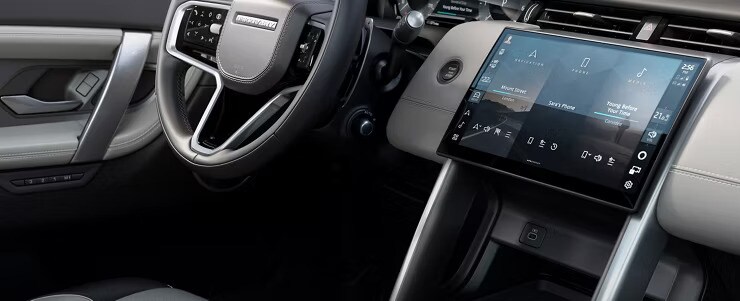
New Range Rover models are designed for impressive off-road driving and adventuring with confidence and peace of mind. They don’t sacrifice comfort or connectivity, which is why they come equipped with the latest in entertainment and navigation programs like the Pivi Pro® Infotainment system. Learn how to set yours up with help from Land Rover St. Louis.
Create an Account and Get Started
Connecting to your Pivi Pro® Infotainment program is simple and easy. To start, you’ll need to set up your account, which you can do on the My Land Rover InControl® website or through the active email sent after purchase. Make sure you have a strong connection to the internet wherever your vehicle is parked, and then begin to register using your vehicle’s VIN, or Vehicle Identification Number. After that, you’ll run the Start-Up Wizard, which gives you a series of prompts to configure your Pivi Pro® system, including language, time zone, and preferences.
Pair Your Devices
With Range Rover and Land Rover vehicles, you can easily access your favorite shows and artists on the go by pairing your smartphone. The Pivi Pro® Infotainment system can connect to up to eight devices, with up to two active simultaneously. Select Smartphone or Connect Account to pair your phone, and then use the code to connect the two devices. You can also set up Amazon Alexa® at this stage.
Customize Your System
Your infotainment system should work for your needs. Once your account is set up and preferences selected, you can customize the appearance of your programs. Move the homepage tiles around to add shortcuts for your most-used apps.
Test Drive High-Tech Range Rover Vehicles in Creve Coeur, MO
The Pivi Pro® Infotainment system is just one of the high-tech features you’ll find in new Range Rover models. At Land Rover St. Louis, you can put them all to the test for yourself. Explore the entertainment features in new vehicles right here at our dealership.

